














Discover the Bitkingz Mobile App and Enjoy Gaming On the Go
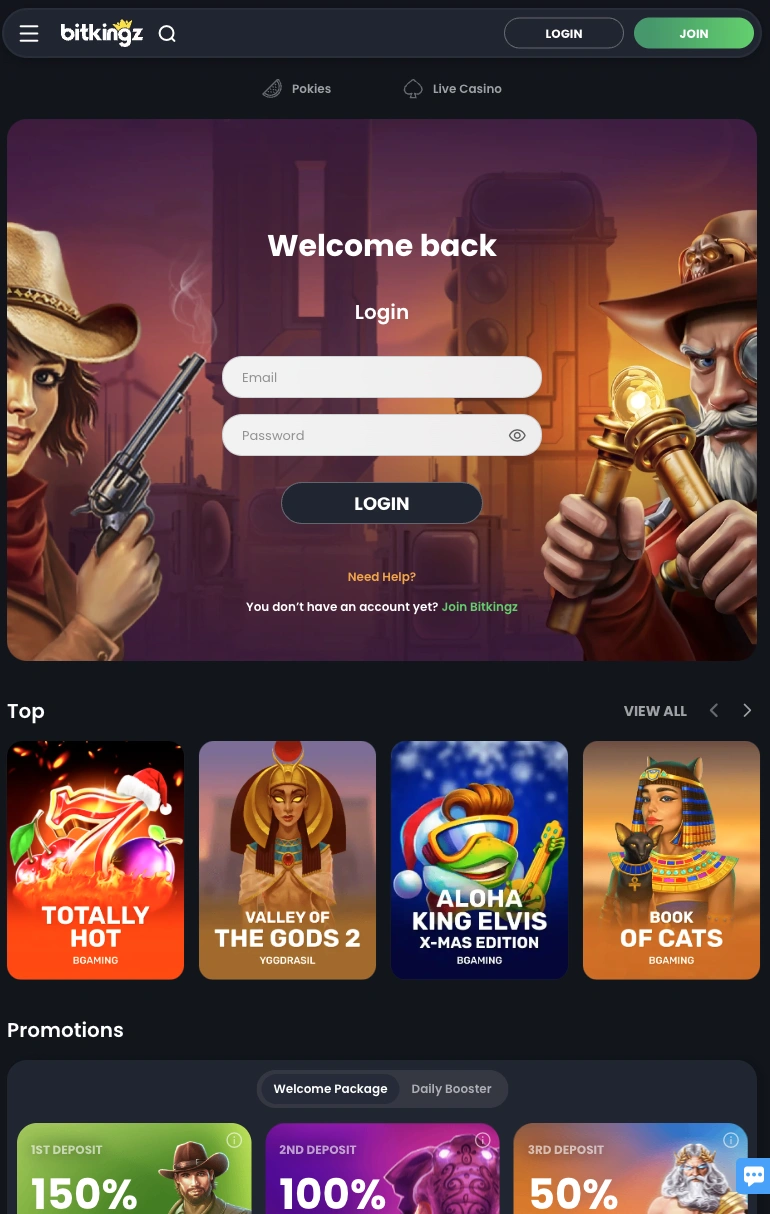
The Bitkingz mobile app brings all the essential features of our platform right to your pocket. Whether you're using a phone or tablet, this mobile app delivers quick access to games, fast login, and full functionality. We created this tool to make your time with us more flexible. Everything works just like on our desktop site, only smaller and simpler to use on touchscreens.
Our app is designed to suit today’s lifestyle. No matter where you are, you can enjoy our casino without delay. From the moment you open the app, you’ll find smooth navigation, fast loading, and an interface tailored for portable screens.
What Makes Mobile Casino Gaming So Popular Today?
Players want freedom. They don’t always have time to sit at a computer. Mobile gaming gives access to real money games while commuting, relaxing, or during breaks. This is why mobile casinos are now more popular than ever. We saw this shift early. At Bitkingz, we focused on making mobile play just as good as desktop. That’s how the Bitkingz app came to life.
With most people owning smartphones, mobile apps became the preferred tool for gaming. Instead of logging in through a browser each time, players now want fast, app-like solutions. The convenience of tap-and-play access makes the experience smoother. Apps also offer better design and speed. Menus are simple. Games run without delay. It’s no surprise mobile play is growing — and we’re right there with you.
How to Download the Bitkingz Mobile App
Our app doesn’t require you to search stores or download third-party files. There’s a simple method that gives you a full-featured experience. To begin, just save our casino page to your device's home screen. This gives you direct access to our mobile version of Bitkingz is a Progressive Web Application (PWA). It functions like a traditional app, but there’s no need for a large install or updates from an app store.
Here’s how to get it running:
- For iOS users:
- Open Safari and go to our casino site. Tap the share icon, then choose “Add to Home Screen.” Name the shortcut and confirm. That’s it.
- For Android users:
- Visit our site in Chrome. Tap the three-dot menu, then select “Add to Home screen.” You’ll now see the Bitkingz icon on your phone.
- Manual Android installation (APK):
- You can also download the mobile application directly from our site. Just follow the guide to install it on your device. This version gives the same smooth experience.
- Browser alternative:
- Prefer not to install anything? That’s fine. Just open our site in your browser. You’ll get the full mobile app design without saving it.
Once installed or saved, you’ll enjoy the same speed, visuals, and tools as on the main site. The Bitkingz app works well on both phones and tablets, with layout adjusted automatically. We designed the app to fit modern habits. You tap, play, and manage everything from the same screen — whether it’s login, deposits, or games.
Navigating and Using the Bitkingz Casino App
Once you open the Bitkingz mobile app, everything feels familiar. We made sure that the interface matches our main site so you won’t get lost. At the top, you’ll find the menu. From there, you can jump to any major section — slots, table games, promotions, or account settings. Large buttons and icons make touch navigation easy.
If you’re new to the platform, the registration process is quick. Tap Register, fill out your details, and you’ll be ready to go. Already have an account? Just log in and everything syncs. Your balance, preferences, and history are all shared between the site and mobile version. All your favourite games are here. You can choose by category or provider. We work with top gaming software developers, so you’ll see familiar names and new releases.
Want to try games before depositing? Use demo play mode. It’s available across most slots and helps you learn the mechanics without risk. When you’re ready, real money play is just a tap away. The mobile casino app supports secure deposits, easy gameplay, and even bonuses made for app users. We keep the whole experience simple, so you can focus on the fun.
What Makes the Bitkingz Casino Mobile Site a Smart Choice?
Some players prefer not to install an app. That’s why our mobile site is just as good — it feels like an app but works in any modern browser. With no installation required, it’s accessible to everyone.
Here’s why our mobile platform stands out:
- Quick access from any mobile browser
- Fully responsive design that adjusts to all screen sizes
- Smooth navigation with finger-friendly menus
- Fast loading games without lag
- Secure login and access to your account anytime
- Instant updates without needing downloads
- Same functionality as desktop and app users
- Clear layout of games, filters, and categories
- Easy payments and withdrawals from mobile
- Available across all devices, including iOS and Android
Our browser version supports everything — from your favourite slots to payments and bonus claims. You can go through the registration process without issue, verify your account, and make your first deposit all without leaving the browser.
The Bitkingz mobile version doesn’t cut corners. It’s light, fast, and easy to use. All essential features are a tap away. Whether you prefer a compact phone or a tablet, it adapts for comfort. This approach ensures more people enjoy our platform. You don’t need high storage space or technical know-how. If you know how to open a browser, you’re already halfway there.
How to Stay Safe While Using the App
Security matters. We want every player to feel safe while enjoying the Bitkingz mobile app. That’s why we share some basic rules to help protect your account. Never install files from unofficial sources. These apps might look real but can steal your data. If you download from third-party services, you risk losing your account, personal info, or bank details. Always use our official site. When you save our page to your screen, it connects directly to our desktop site. No risk, no middleman. Here are a few tips:
- Use strong passwords when creating an account
- Enable two-factor authentication if available
- Avoid public Wi-Fi while playing
- Keep your device’s OS updated
- Never share login details
We also recommend that you verify your account early. This ensures smoother withdrawals and supports your safety. All payment methods used in our platform are encrypted. Whether you deposit or withdraw, your transactions stay private.
As part of our welcome package, we guide new users to secure practices. We value safety as much as entertainment. The Bitkingz mobile version reflects that commitment in every tap.
The Good and the Not-So-Good of Using Our App
No solution is perfect. But we believe the Bitkingz app gets close. Here’s a look at both sides of the experience, so you know what to expect.
What we like:
- The mobile version works without needing a full install
- Easy access from home screen with one tap
- Same features as desktop — no missing options
- Fast game loading and smooth navigation
- Great fit for modern devices, big or small
- The interface is user-friendly for all skill levels
What could be better:
- The app is not available through official app stores
- Some regions may not support the full app experience
- Older devices might face occasional lag
Still, for most users, these limits don’t affect gameplay. Whether you use the mobile browser or save our shortcut, you’ll find a smooth and powerful way to enjoy Bitkingz.